01
Steam discovery
Finds the Steam installation, additional libraries, installed games and local Steam profiles by reading registry and VDF data.
A .NET 8 desktop application for discovering Steam games and profiles, resolving known save locations, and moving save data through workflows designed to be previewable, reversible and auditable.
Application gallery
Eight views from the current Avalonia application, from discovery and review through transfer, backup, sync and audit history.
Use the previous and next buttons, or the left and right arrow keys, to browse the screenshots.
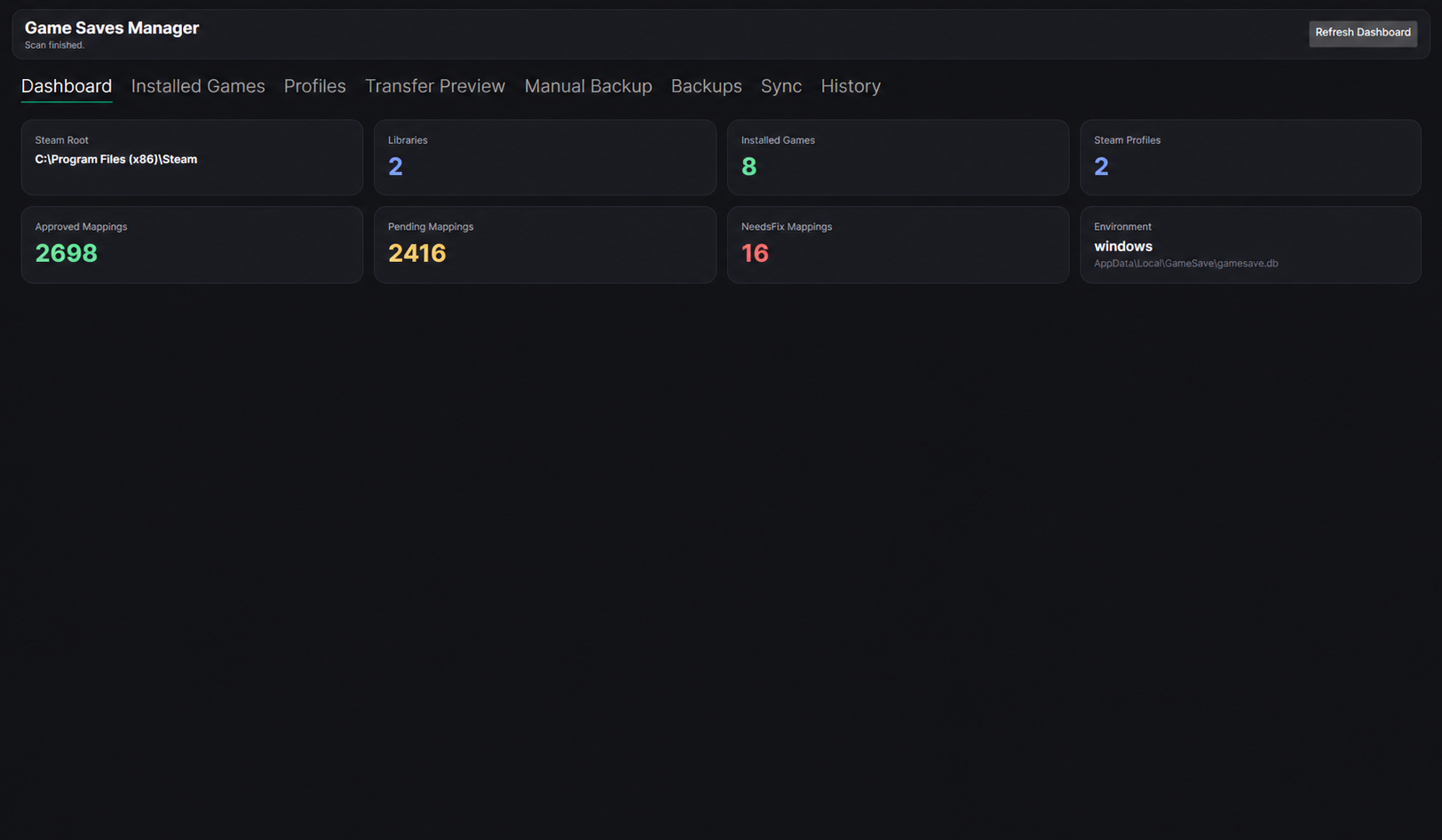
The Avalonia dashboard summarises the detected environment, installed games, Steam profiles and mapping review state without exposing personal filesystem information.
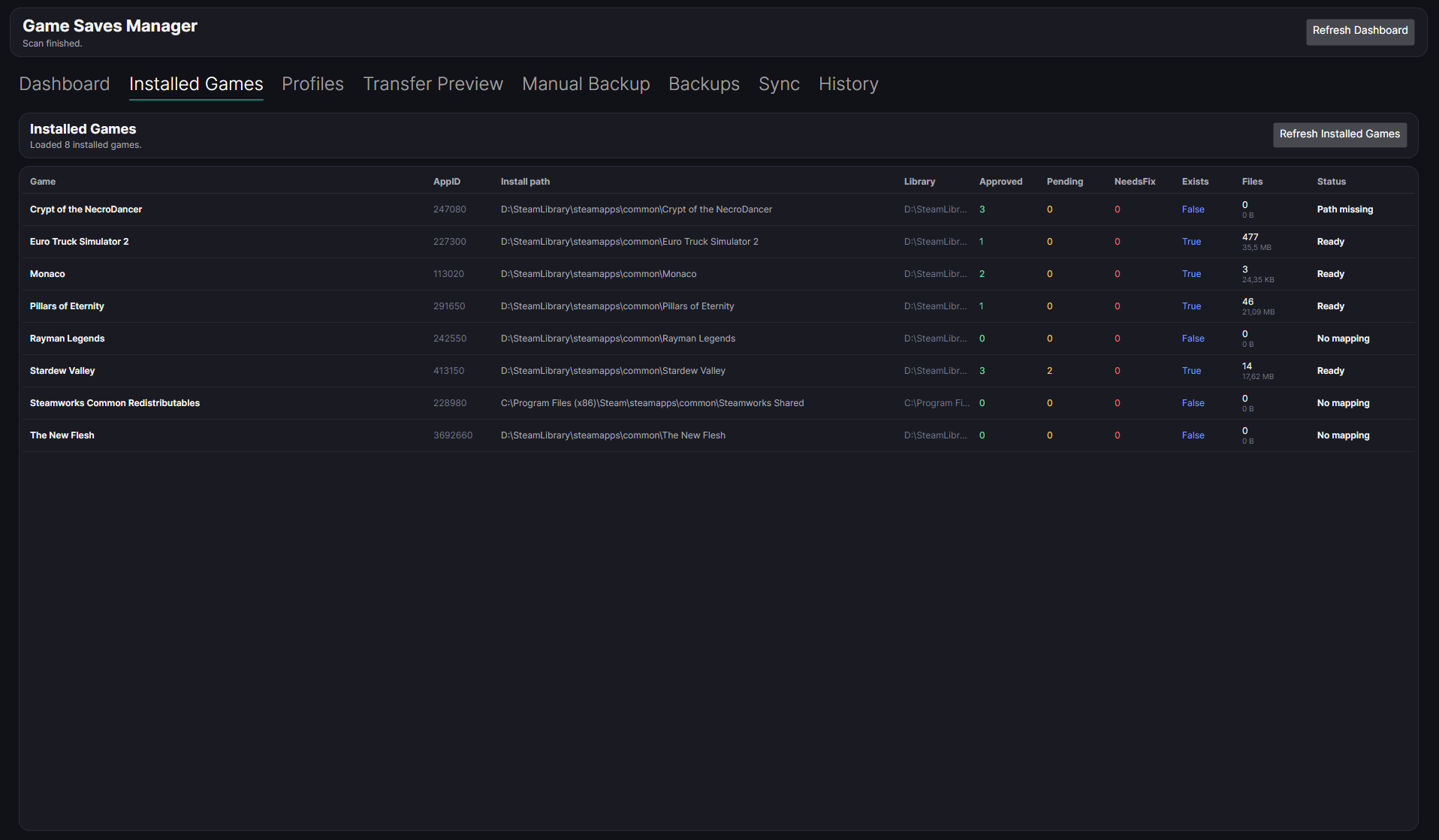
Each detected title shows its mapping state, discovered save files and readiness before a workflow begins.
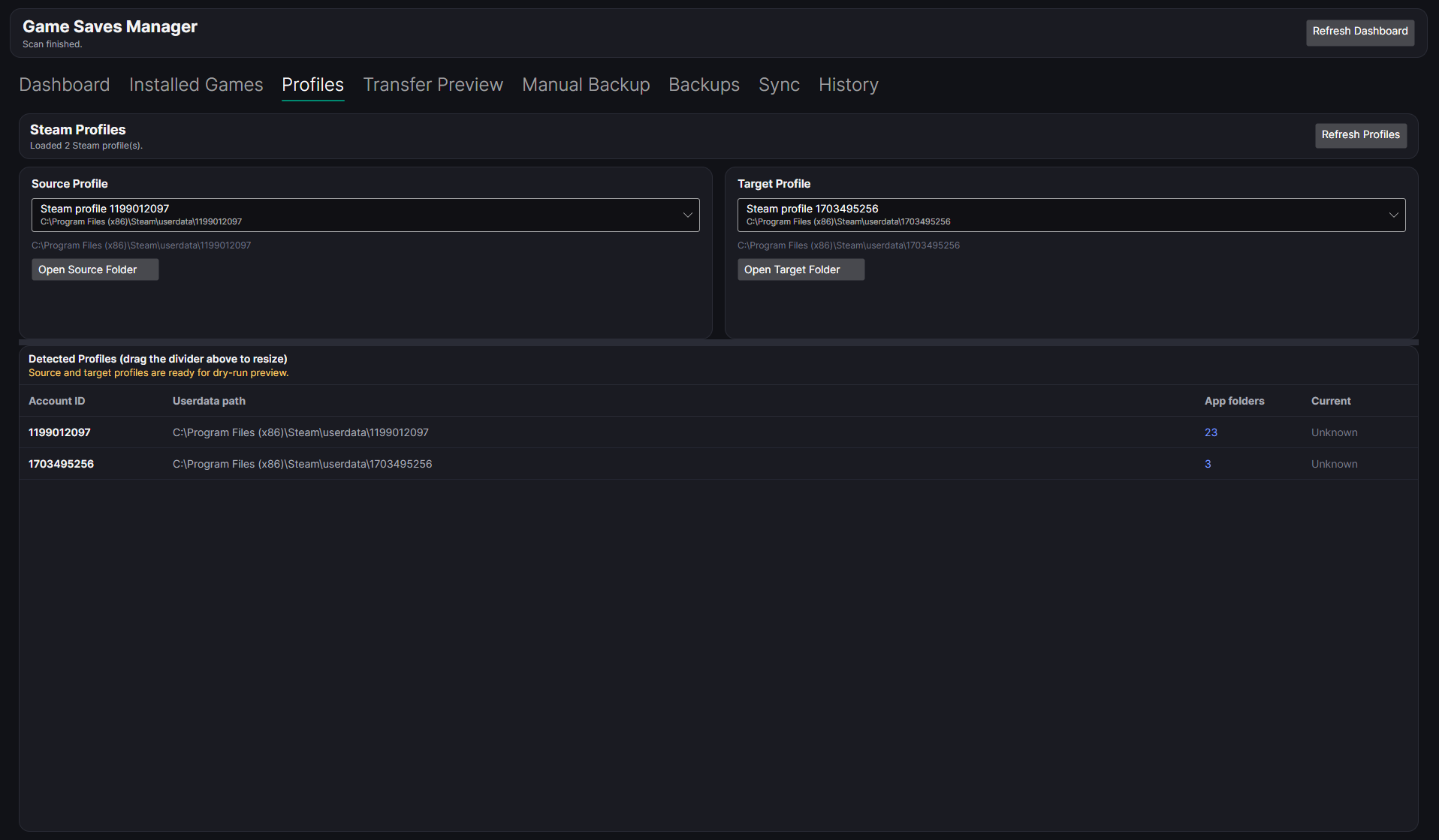
Source and target profiles are selected explicitly before the application builds a transfer plan.
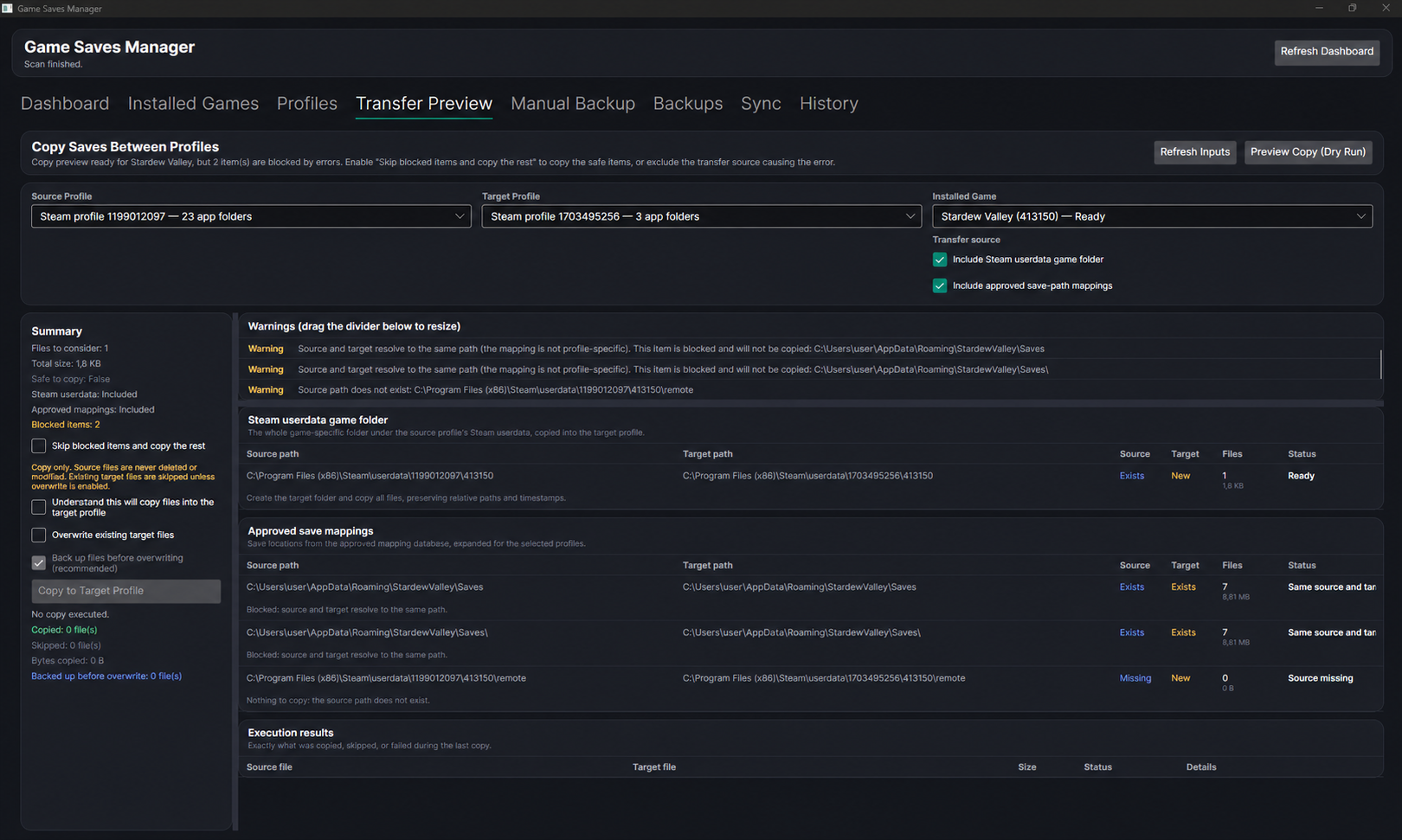
A dry-run plan exposes the files, destinations, blocked items and copy-safety controls before confirmation.
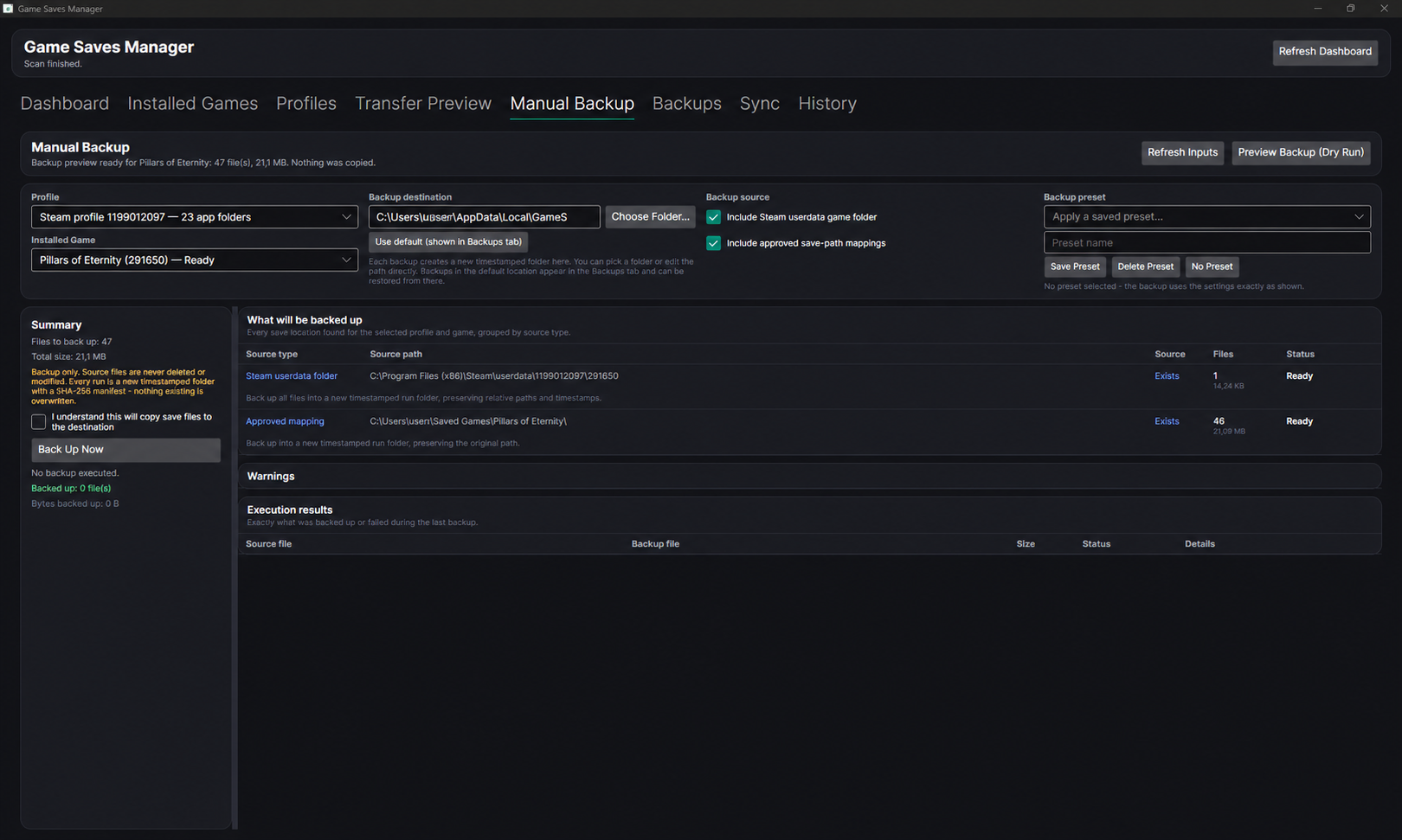
Profile, game, source and destination choices remain visible throughout the preview-first backup workflow.
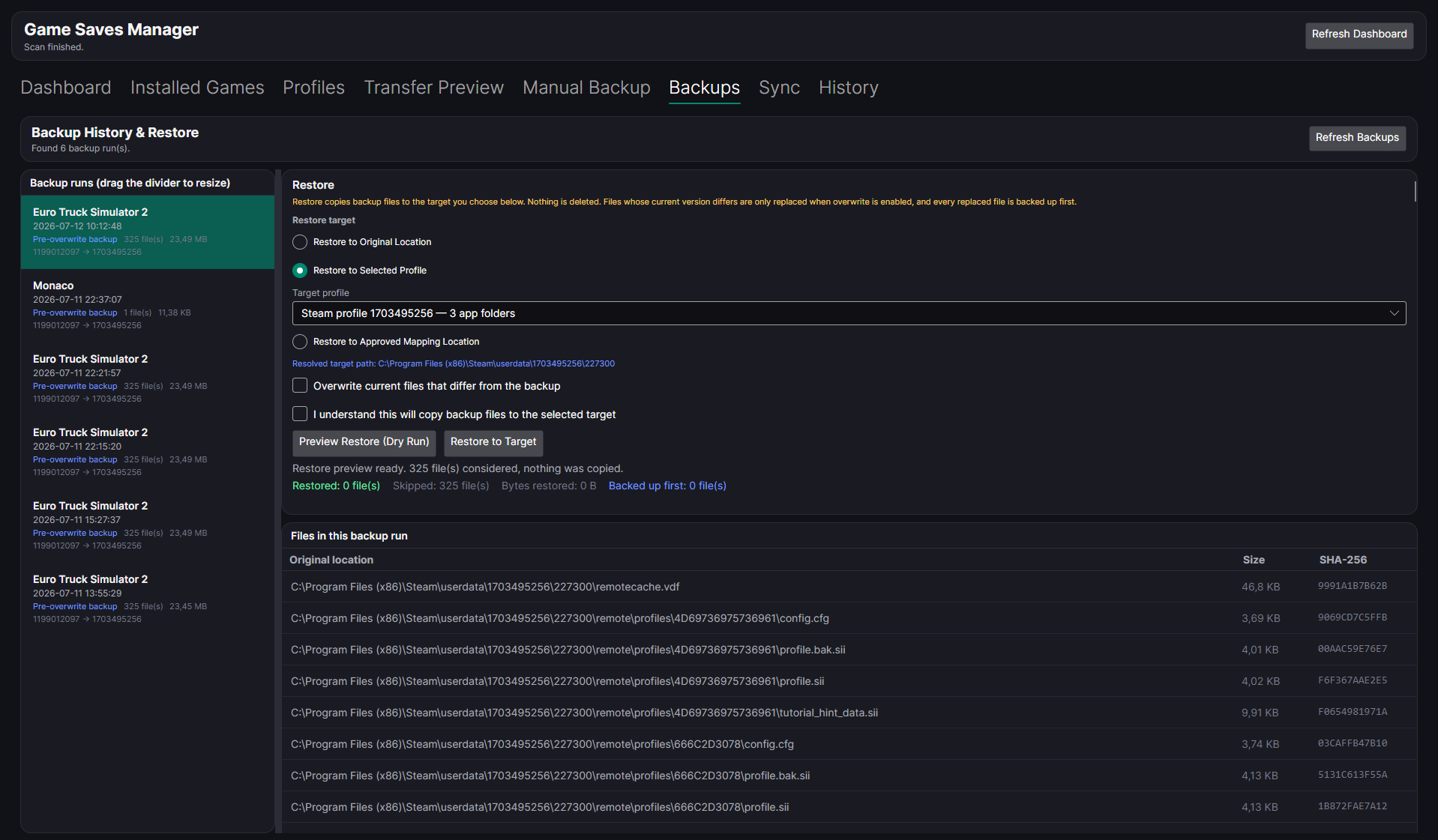
Manifest-backed backup runs expose restore targets, integrity details and explicit overwrite gates.
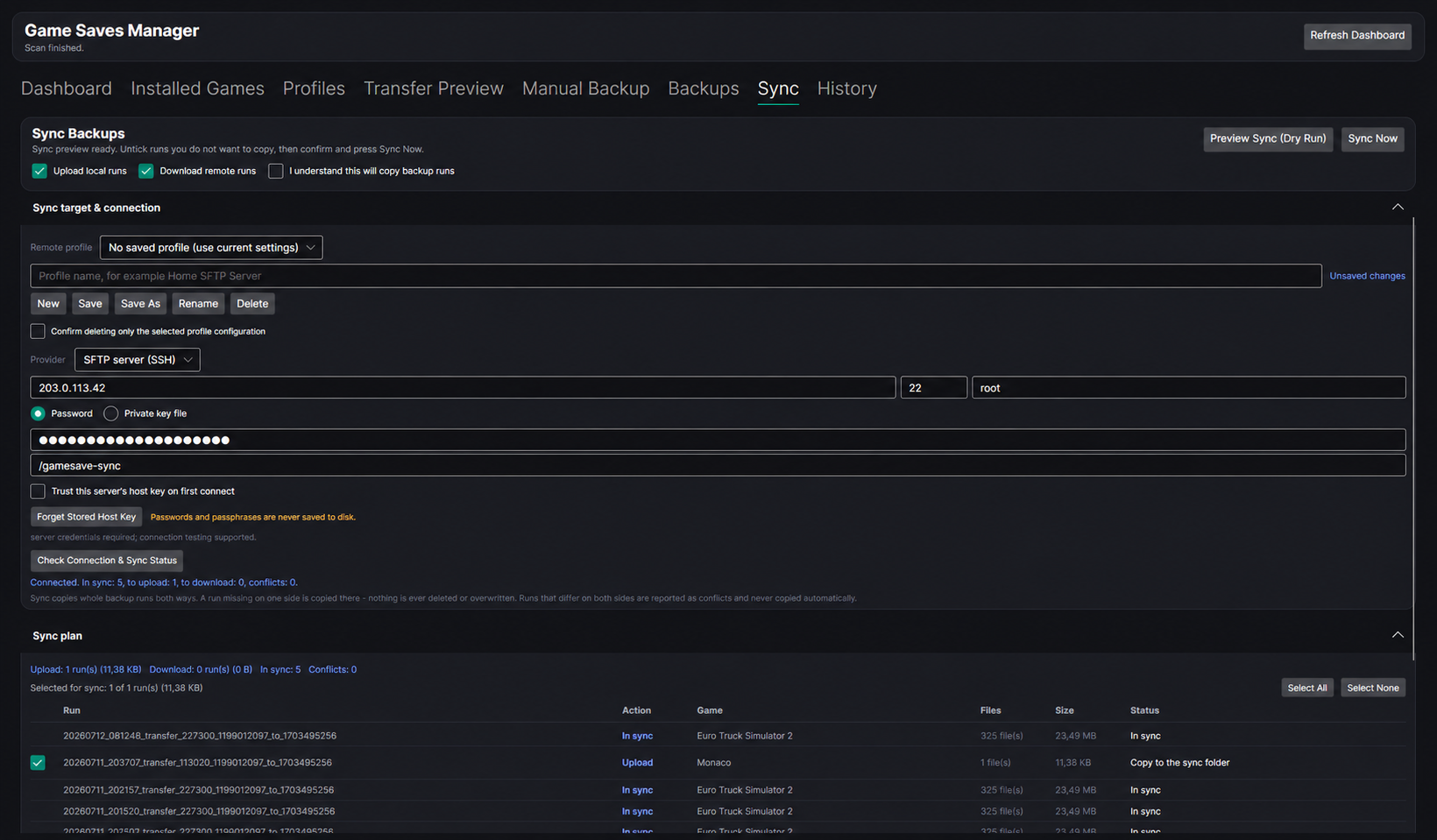
Capability-driven connection settings lead into a selectable, previewable backup-run synchronisation plan.
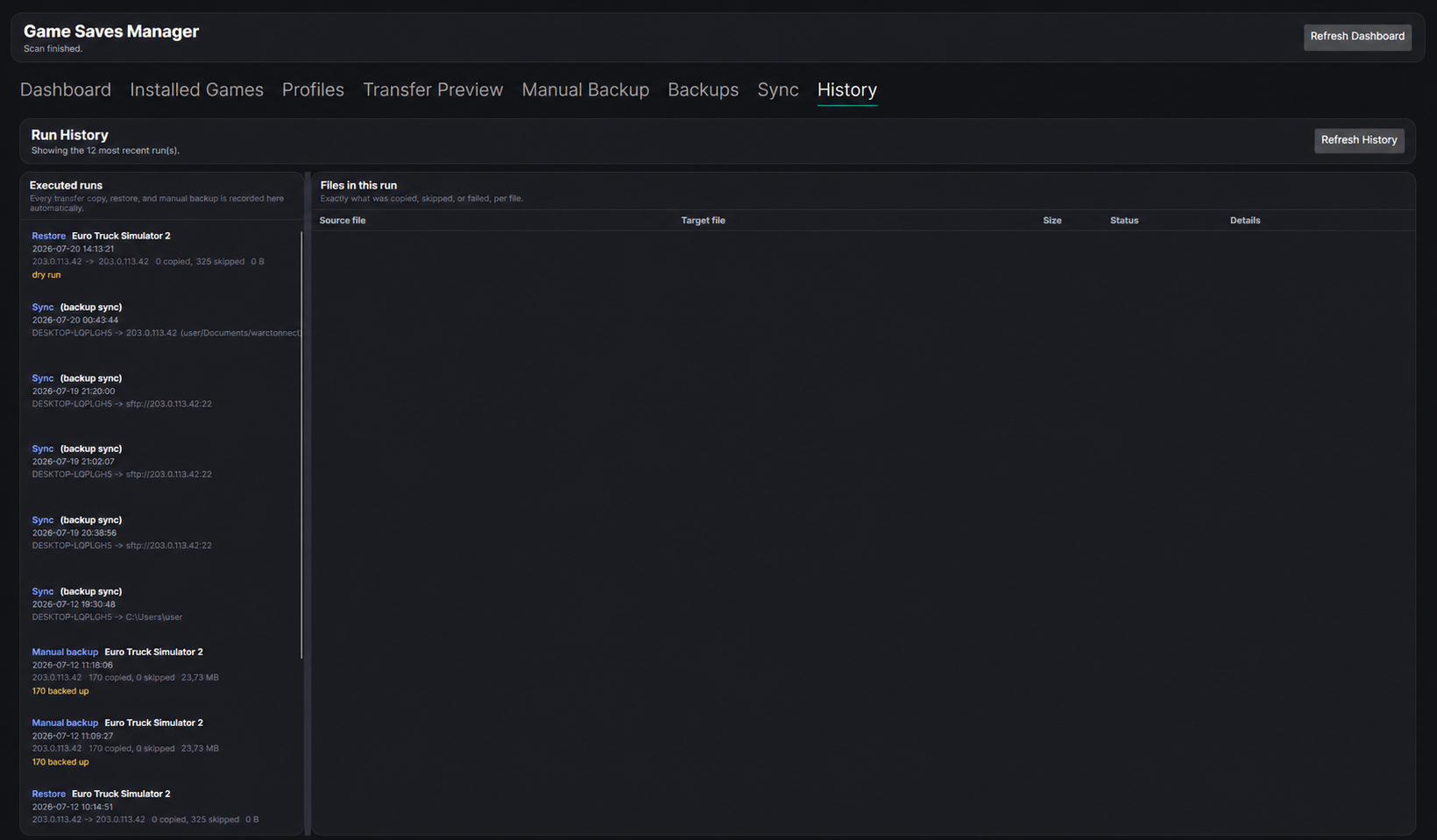
A durable audit trail records the outcome of transfer, backup, restore and synchronisation runs.
01 / 08
The problem
PC games store saves across Steam userdata, documents, AppData, installation directories and custom locations. Players often only discover that complexity when moving between profiles or recovering from data loss.
Game Save Manager turns those inconsistent locations into a reviewed mapping system and a set of guarded workflows. The goal is not simply to automate file copying, but to make every action understandable before it runs and recoverable if something goes wrong.
Implemented application
The first two roadmap phases are complete. Phase 03 now includes working local-folder and SFTP/SSH providers, with Google Drive still ahead.
01
Finds the Steam installation, additional libraries, installed games and local Steam profiles by reading registry and VDF data.
02
Previews files before copying between Steam profiles, validates path containment, skips existing files by default and requires explicit confirmation.
03
Creates manual and automatic backups with SHA-256 manifests, supports dry-run restore, presets, retention and self-contained ZIP export/import.
04
Synchronises backup runs through local-folder and SFTP/SSH providers, with connection checks, selectable plans, live progress and conflicts that are reported rather than silently resolved.
Living save-path dataset
The dataset is built continuously by fetching Steam AppIDs and harvesting save-location candidates primarily from PCGamingWiki, while manually researched paths can be added alongside them.
21k / 170k
Steam AppIDs processed so far
5,140
Games with collected mappings
2,698
Mappings reviewed and approved
Current development snapshot. Approximately 12% of the target Steam AppID catalog has been processed; 5,140 of those entries currently have mapping data, and 2,698 mappings are approved for trusted application use.
≈ 2,000 / day
Automated harvesting processes roughly two thousand new catalog entries each day and records candidate paths with their provenance.
Manual + mined
Mappings can also be added or corrected manually, so new titles are not limited to what an automated source can extract.
Continued support
The project will keep supporting new releases. A future direction is letting additional trusted reviewers help approve the growing candidate queue.
From public clue to trusted path
Steam identifies games, but it does not provide one dependable catalogue of where every title stores its save files. Public sources can suggest locations, yet those suggestions may be outdated, incomplete or written for a different operating system.
The pipeline therefore treats collected paths as candidates, not facts. Rule-based checks expand reusable path templates and flag repeatable problems, while human review handles ambiguity and decides which mappings are safe enough to approve. The application uses only those approved mappings when it prepares a backup or transfer preview, reducing the risk of selecting the wrong files or folders.
Steam AppIDs create the catalog queue and tell the pipeline which games still need save-location research.
PCGamingWiki and manual research provide candidate save locations together with their source and context.
Templates are expanded, ambiguous or unsafe paths are flagged, and every candidate receives a visible review state.
Approved paths let the app build clearer previews and target the intended save data during backup and transfer.
Scraped locations can be outdated, incomplete, platform-specific or simply wrong. Candidate data remains visible as Pending or NeedsFix, but the application does not automatically trust it. This keeps dataset growth separate from save-file safety.
Design principles
Save files can represent hundreds or thousands of hours. Guardrails are part of the product, not warnings added at the end.
01
Source saves are not deleted or modified during transfer or restore.
02
Transfers, restores, sync and cleanup expose a dry run before execution.
03
Existing files are skipped unless the user explicitly enables replacement.
04
Safe Mode refuses an overwrite when its automatic backup cannot be completed.
05
SHA-256 manifests identify missing or modified backup files before restore.
06
SQLite history, manifests and per-file results record what every workflow did.
Architecture
The shared core stays independent of Avalonia, SQLite, registry access, VDF parsing and filesystem details. Views bind to view models, while preview generation, containment checks, hashing, persistence and provider behavior live behind testable contracts.
01
Platform-neutral models, contracts, sync plans and transfer rules. It defines what a safe operation means without knowing about Avalonia, SQLite or a particular filesystem.
02
Concrete adapters for Steam discovery, registry and VDF parsing, SQLite, path expansion, backup, restore, history, local-folder sync and SFTP/SSH.
03
A thin MVVM interface that coordinates explicit services, presents previews and confirmations, and keeps provider-specific controls driven by declared capabilities.
04
Separate developer tools for catalog fetching, PCGamingWiki harvesting, verification and deliberate human approval of candidate mappings before the desktop app trusts them.
Phase 03 right now
The provider abstraction is already exercised by two real implementations: local or mounted folders and SFTP over SSH. Both use the same preview-and-execute contract, copy-only conflict rules, named remote profiles, connection checks and auditable results. The current work is hardening that shared design for the next provider rather than presenting Google Drive as complete.
Implemented
Local-folder and SFTP/SSH providers, including host-key trust and session-only credentials.
Shared foundation
Capability catalog, provider factory, remote-profile persistence, selectable plans and conflict reporting.
Next boundary
Google Drive needs interactive OAuth, durable token storage, quota awareness and resumable transfers.
Roadmap
Remote providers are intentionally paused while the provider design is reviewed. Planned functionality is not presented as implemented.
Engineering lessons
Active development